


This is a frustrating and perplexing issue, especially when we’re getting used to a new game. Depending on each person’s physiology, the feeling of dizziness and nausea can range from mild to severe and can vary between different titles. In this article, we will explore the causes and ways to alleviate this condition.
Causes
The phenomenon of dizziness while gaming is medically termed simulator sickness. Currently, we have not been able to clearly identify the exact cause of this phenomenon. Several theories have been proposed, with the most widely accepted being “sensory conflict”. According to this theory, it occurs when there is a disagreement in perception between the visual system and the vestibular system. It happens similarly to when you experience motion sickness. When traveling by vehicle, your eyes perceive that you are sitting still while your vestibular system senses that your body is moving due to the swaying when the vehicle turns, travels on rough roads, or changes speed…

When playing games with movement in 3D space, your eyes register movements within the game, with the viewpoint and position changing constantly. Meanwhile, your vestibular system registers that you are sitting still, as it feels no shaking or swaying. As a result, two different senses bring back conflicting perceptions, causing your brain to struggle to adapt. Consequently, you end up with simulator sickness.

Depending on the individual and the game, simulator sickness can vary in severity. I remember the first time I played an FPS game was with Crysis; after about 10 minutes, I started to feel unwell, and after an hour, I was vomiting and feeling dizzy all day.
Solutions
Unfortunately for those suffering from simulator sickness, there is no way to completely eliminate it; you can only minimize the feelings of dizziness and nausea or get accustomed to it. First, let’s discuss methods to mitigate the influence of factors leading to simulator sickness, as these will have an immediate effect on your “condition”.
Adjust the Viewpoint in the Game
Some games allow you to adjust the FOV (Field Of View) settings, which simply means the width of your viewing angle in the game. A discrepancy between your actual viewpoint and the viewpoint in the game can easily make your brain feel like “something is off here,” worsening the sensory conflict.
Typically, console games have a default viewpoint of around 60 degrees. PC games usually have a higher FOV since PC gamers tend to sit closer to the screen, approximately 80 to 100 degrees. You can also adjust the FOV flexibly according to the distance from your eyes to the screen so that your brain feels it is reasonable to reduce the symptoms of simulator sickness. It’s important to note that it doesn’t have to match reality exactly, as long as your brain feels it’s “reasonable”. From my experience, I recommend setting the FOV equal to or higher than your actual viewpoint. For example, if my viewpoint to the screen is 60 degrees, I would set the FOV to 80 degrees or more. For some games, I even set it to 120.
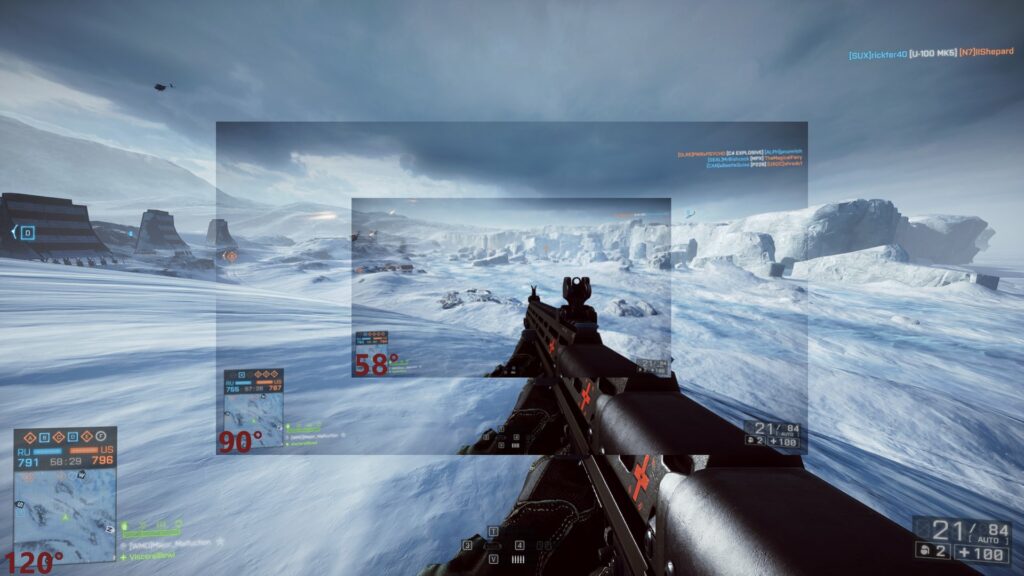
Using a wider viewpoint also helps you capture more objects on the screen. The in-game frame also moves less when changing the view. This contributes to reducing the feelings of dizziness and nausea while gaming.
Turn Off Unnecessary Camera Shake in the Game
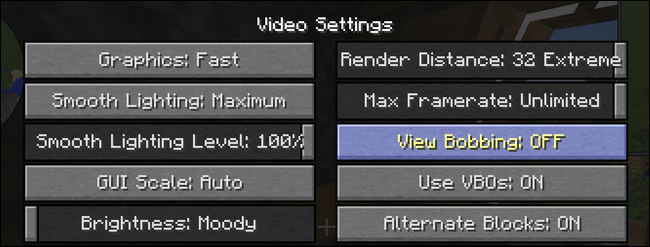
Some games have a feature that simulates camera shake to make the game feel more realistic. However, the problem is that usually when it shakes, you can’t even move without feeling sick, let alone when it does shake. Enabling this feature will cause more movement in the game view, leading to sensory conflict between your vestibular and visual systems, resulting in increased dizziness. Therefore, it’s best to turn it off.
Increase Frame Rate
Your brain is very sensitive to movements that “seem off.” When playing at a low frame rate that your eyes can notice the frame stuttering, causing the in-game motion to feel less smooth than in reality, it can make you feel dizzy more quickly. To address this issue, you can adjust the settings in the game to increase the FPS so that movements become smoother, around 60 FPS is sufficient. Alternatively, you can increase the FPS directly by upgrading your machine.
Play Your Game Only, Don’t Look at Others’ Screens
Nothing makes you suffer from simulator sickness faster than looking at someone else’s screen. This is quite obvious. When you look at your own screen, at least you can predict the movements, whereas looking at someone else’s screen leaves you helpless. Those who glance at the screen of the person next to them while playing to “advise” are likely to get hit hard by simulator sickness.
Check Your Eyes

In some cases, if your two eyes have different levels of myopia or astigmatism, leading to a discrepancy in visual perception between the two eyes, your brain can also have issues. If you suspect that your two eyes have different vision levels, it’s best to get an eye exam and get glasses to balance them. This may significantly improve your simulator sickness.
Create a “Reference Frame”
This method is effective because it helps your eyes perceive that you are sitting still rather than moving around wildly like the game screen.
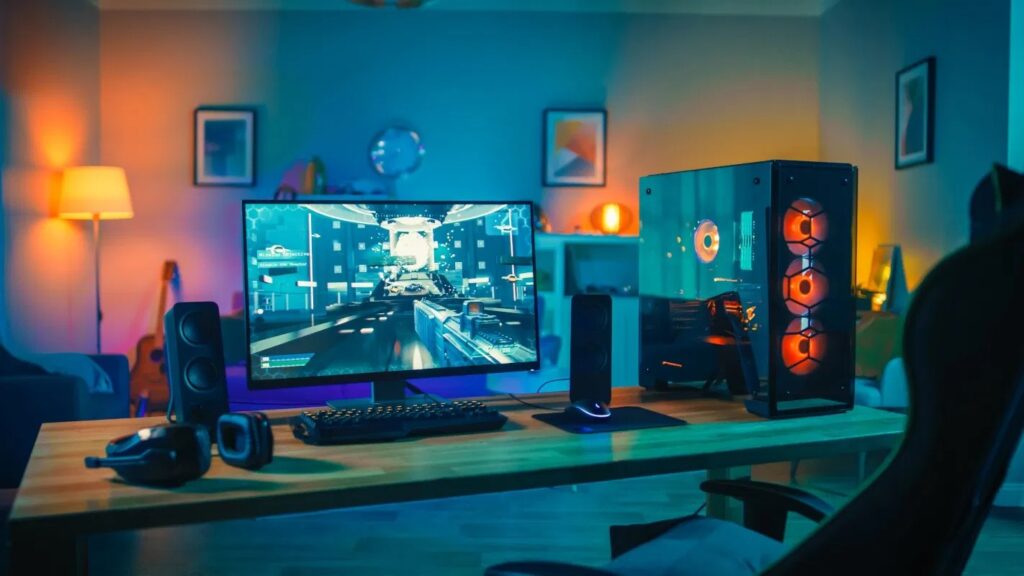
First, it’s advisable to turn on the lights and play in well-lit conditions; objects in your surrounding environment, like your keyboard, mouse, monitor stand, walls, or windows behind the screen, will help your brain confirm that you are sitting still. Second, focus on the crosshair in the game, which helps you ignore some of the screen’s movements and reduces dizziness.
Final Measure: Play More to Get Used to It
Just keep playing, and you’ll eventually get used to it. If you’re severely affected, it will take longer, while if it’s mild, it will take less time. Generally, any gamer who plays frequently will eventually adapt. The things we’ve just listed can only help you to some extent and cannot completely eliminate the phenomenon of simulator sickness. The most effective approach is to just keep playing. Today you can play for 1 hour, tomorrow 1.5 hours, gradually increasing to 2 hours, 3 hours, and eventually, it won’t be a significant issue during a gaming session.
If you can’t get used to it right away, you can break your gaming time into several sessions throughout the day. For example, if you feel unwell in the morning, you can continue playing in the afternoon. If you feel dizzy in the afternoon, you can play again in the evening before bed. Once you get used to it, you will find it’s not so scary anymore. However, keep in mind that if you stop gaming for a while after getting used to it, you may experience it again, and each time you need to train your brain to adapt again.
Source: howtogeek, translated by Gearvn