


Google has long had policies in place to protect its users from potential online scams related to financial and personal information. Personal Identifiable Information (PII) will be automatically removed from search results by Google, including government ID numbers, bank account numbers, ID photos, handwritten signatures, and medical records.
With policy changes in April 2022, you can now request the removal of more personal information such as your phone number, home address, or email address. Additionally, Google will also consider requests to remove data that is at risk of being stolen.

How to Remove Personal Data from Google Search
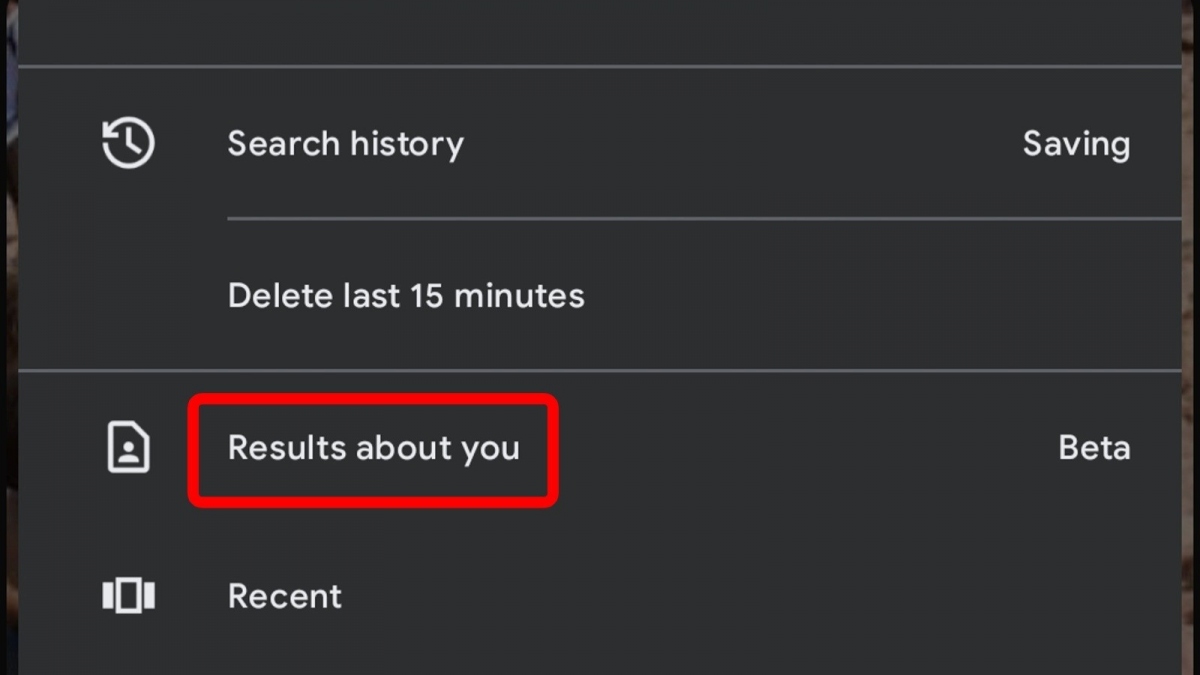
Google is currently testing a new feature in its mobile app that allows Android users to easily submit requests to remove information and check the status of their previous requests. Here’s a guide to access this feature.
- Launch the Google mobile app.
- Tap on your profile icon in the upper right corner of the app.
- Search for “Personal Results” in the dropdown menu.
- Here, you can remove search results containing your personal data.
Additionally, you can request the removal of individual Google Search results containing sensitive personal information that appears when you search for information about yourself. To do this, simply tap the three-dot icon next to the Google Search result. It will redirect you to the “About this result” page. If your Google account has access to the new removal request tool, you will see the “Remove result” option at the bottom of the page.
How to Remove Personal Information from Google Search Without the App
If you cannot find the “Personal Results” menu in the Google app or the “Remove result” button when tapping the three-dot icon next to each search result, you can manually request Google to remove your personal information from Search. To do so, you need to access the troubleshooting tool on the Google Support website, then follow the steps below:
- Select the option “Remove information you see in Google Search”.
- Under the heading “The information I want to remove is”, select “In Google search results and on web pages.”
- When asked if you have contacted the website owner, select “No, I do not want to”.
- Select the type of personal information you want to remove from Google Search results.
- Enter the required information, including (a) link(s) to the pages containing the content you want to remove.

You should attach a screenshot of the webpage containing your personal information to expedite the removal request process and provide further context if you wish. When Google approves your request to remove your personal information, Google will stop including pages containing data in all search results with your name. If your request is not approved, no changes will be made.
Limitations on Information Google Can Remove

It is important to note that while Google can help you clean up your online presence by limiting search results, it cannot directly delete content appearing on websites or take down those websites.
This is because Google search results simply direct users to websites that provide the content they are searching for; Google can control whether it directs users to that website, but it cannot control the website itself. Therefore, others may still find your information on that website if they use a non-Google search engine, such as Bing.
If your removal request is denied by Google but you still want to remove personal information from the website itself, Google recommends contacting the website owner directly and asking them to remove content related to you. If the website administrator confirms your request and removes your personal information, users will no longer be able to access that information even if they search using a non-Google search engine.
According to Slashgear