


A crosshair, also known as a aiming reticle, is an essential “tool” for FPS players. The crosshair helps gamers aim more easily and also reduces instances of dizziness and nausea when playing first-person shooter games, as players can focus primarily on one point on the screen.
Most gaming monitors today come equipped with a crosshair feature that you can activate anytime if the game does not have this built-in feature. However, for Crossover, a free application that allows you to enable a crosshair in any game without needing a gaming monitor. Moreover, you can customize the crosshair to suit your needs, something not every game allows. This is one of the reasons for introducing this application.
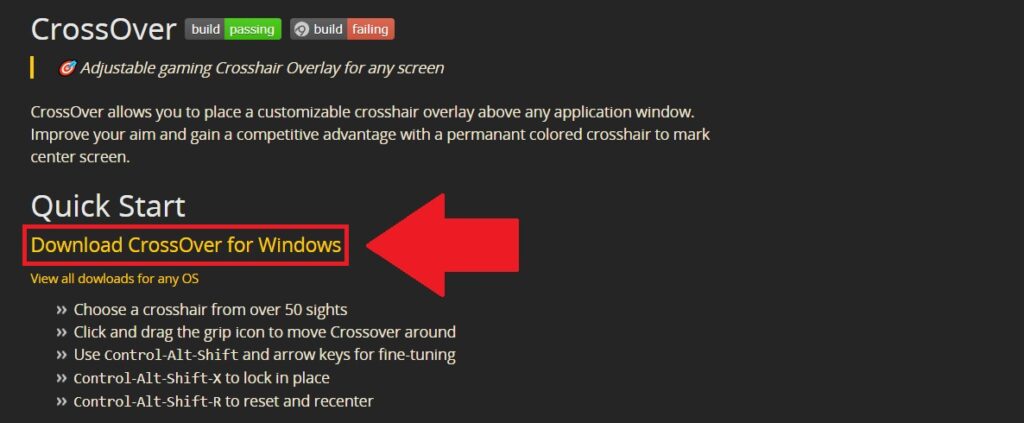
Step 1: First, download the Crossover here. Then select Download CrossOver for Windows to download it.
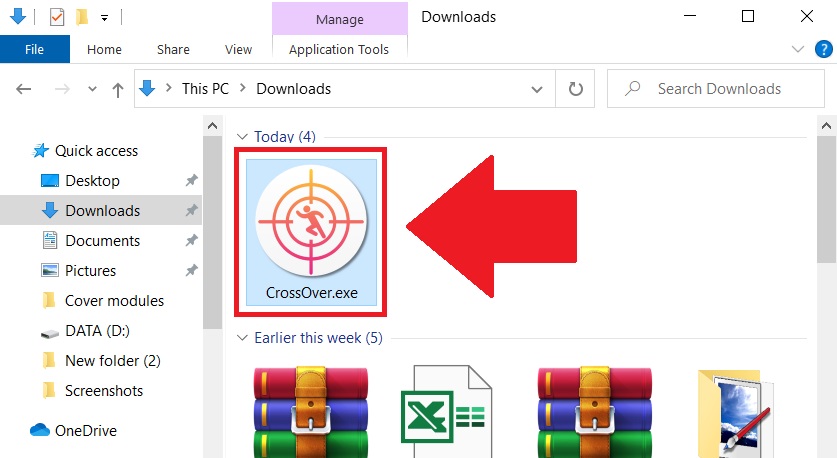
Step 2: After downloading, open the file CrossOver.exe to proceed with the installation.
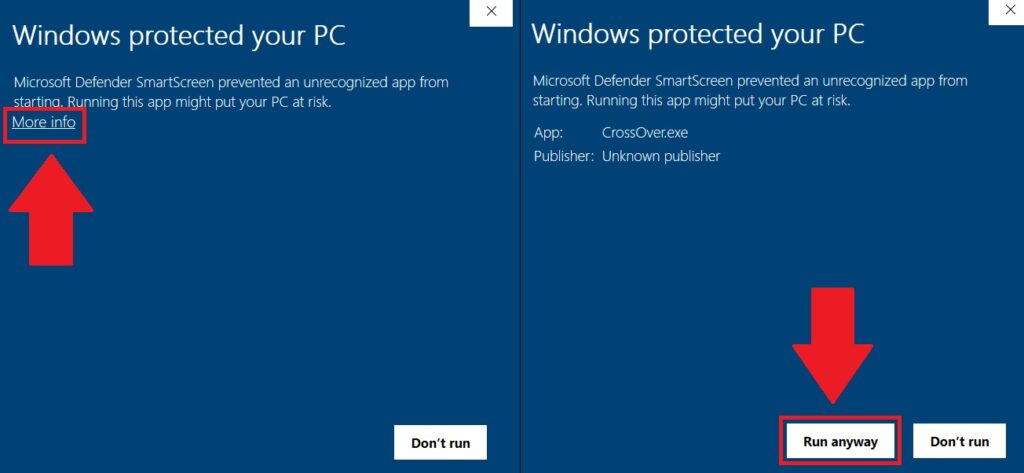
Step 3: If you see a Windows Defender warning, select the More info option and then choose Run anyway.
Step 4: After the installation is complete, the application’s options window will appear. Here, you can select any type of crosshair and color that you like by clicking on Choose Crosshair.
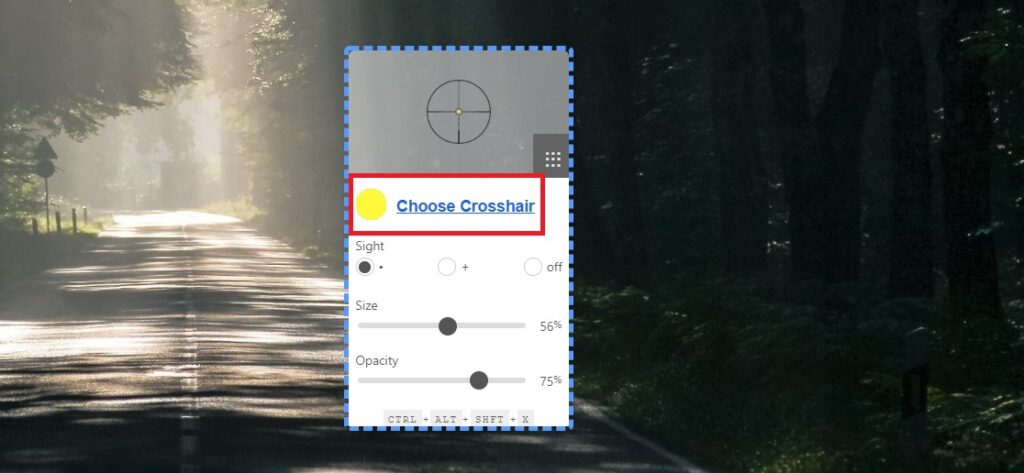
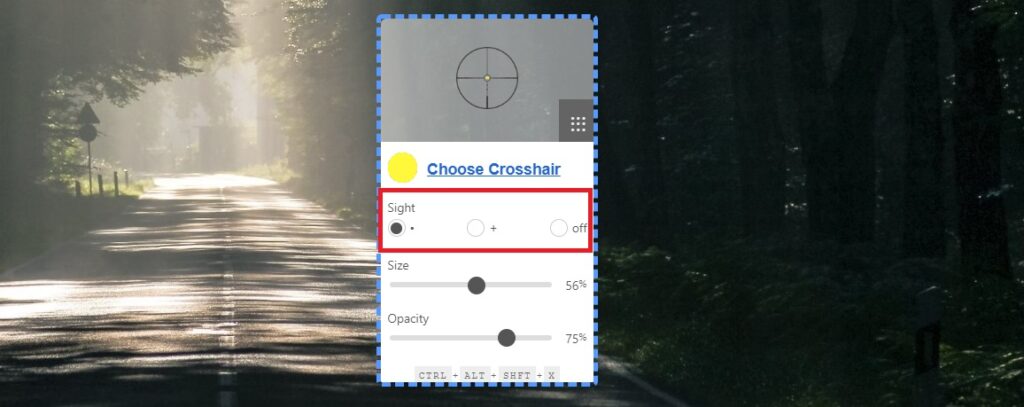
Step 5: In the Sight section, you can choose to have a dot, plus sign, or nothing in the center, depending on your preference.
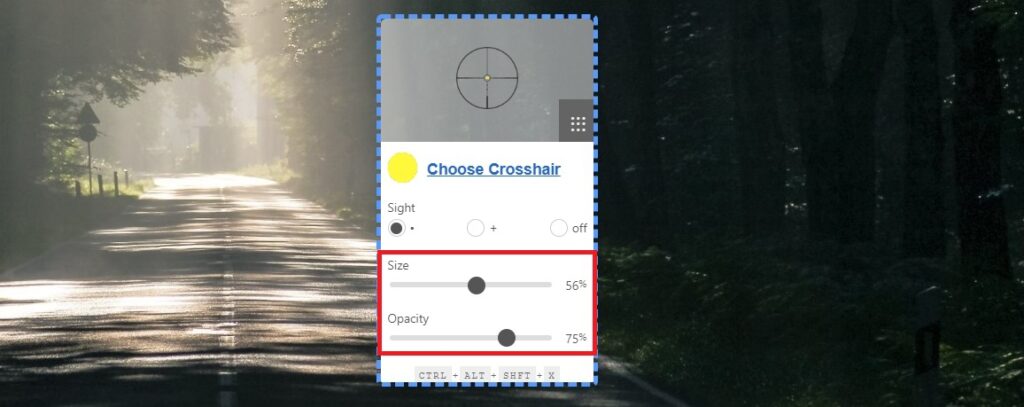
Step 6: Finally, you can select the size of the crosshair in the Size section by dragging the slider left or right to increase or decrease the size. In the Opacity section, you can adjust the intensity of the crosshair to avoid it blending into the game scene.
After making all adjustments, click and hold on the customization window and move the crosshair to any position on the screen that you want. Then press the key combination Ctrl + Alt + Shift + X to lock the crosshair on the screen.

If you want to unlock the crosshair to move it, press the key combination Ctrl + Alt + Shift + X again.
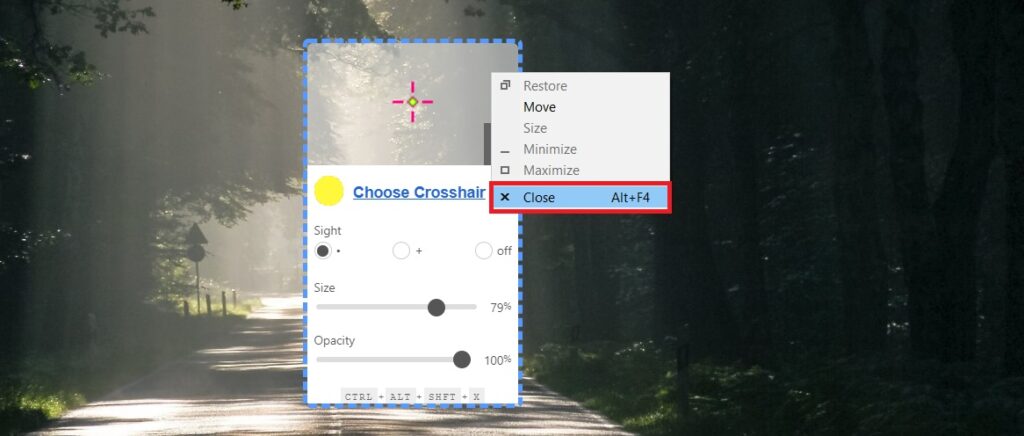
To close the CrossOver application, right-click on the customization window and select Close.
So that’s how I guided you on how to add and adjust the crosshair for all games. Good luck!
According to Gearvn