


Sometimes there are great games, but our machines can’t handle the high settings. Lowering it to medium might still be too much, and if you don’t know how to set custom settings optimally for both beauty and smoothness, I’ll point out a few settings that can consume a lot of performance with little gain.
Shadow
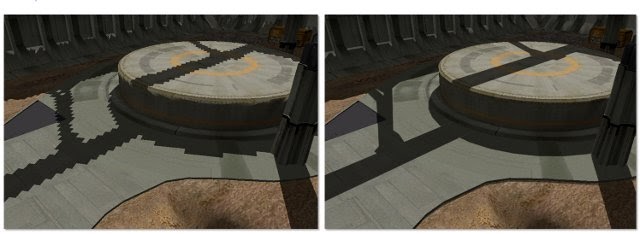
This is the quality setting for character shadows in the game. If this setting is high, the shadows will look beautiful and jagged-free; on the other hand, if set low, the shadows will appear jagged. However, we all know that when playing games, people look at the scenery, look at characters, look at opponents, and only occasionally glance at shadows. For those with high-end machines, it’s fine to keep it on high to show off the power of your PC, but if performance is your priority, setting this to low is the best choice.
SSAA (a form of anti-aliasing)
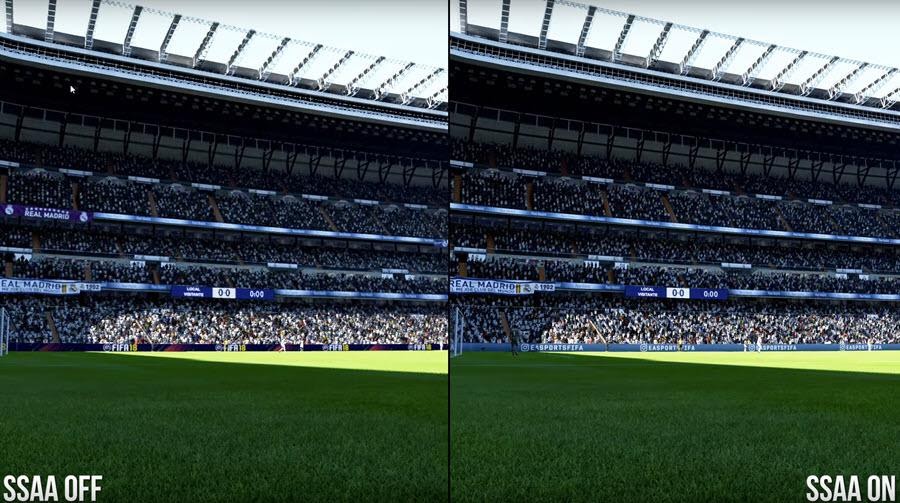
This setting helps render the game at a higher resolution and then downscales it to the resolution you are using to make the game appear sharper. This is a choice for those with powerful PCs; for those with weaker hardware, SSAA is unnecessary since its benefits are not worth the significant performance hit it causes. Additionally, it can also be one of the causes of screen tearing, so I still recommend turning it off for better performance.
Motion Blur
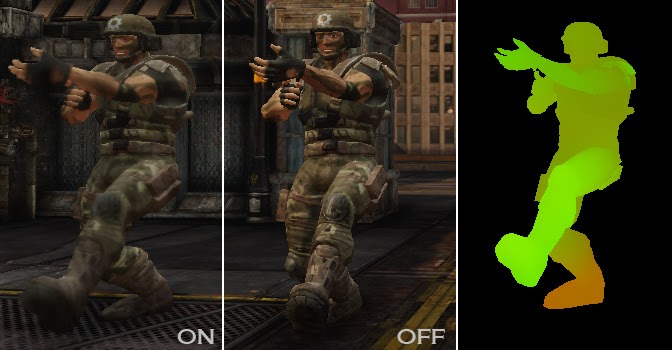
Motion Blur is an effect that creates a blur point when characters move in the game, similar to what our eyes see. However, in most games, this feature is not really well-implemented, sometimes resulting in excessive blurring. Motion Blur can also be a major cause of sudden FPS drops; turning this feature off will not affect the game’s graphics while significantly stabilizing the FPS.
Depth of Field
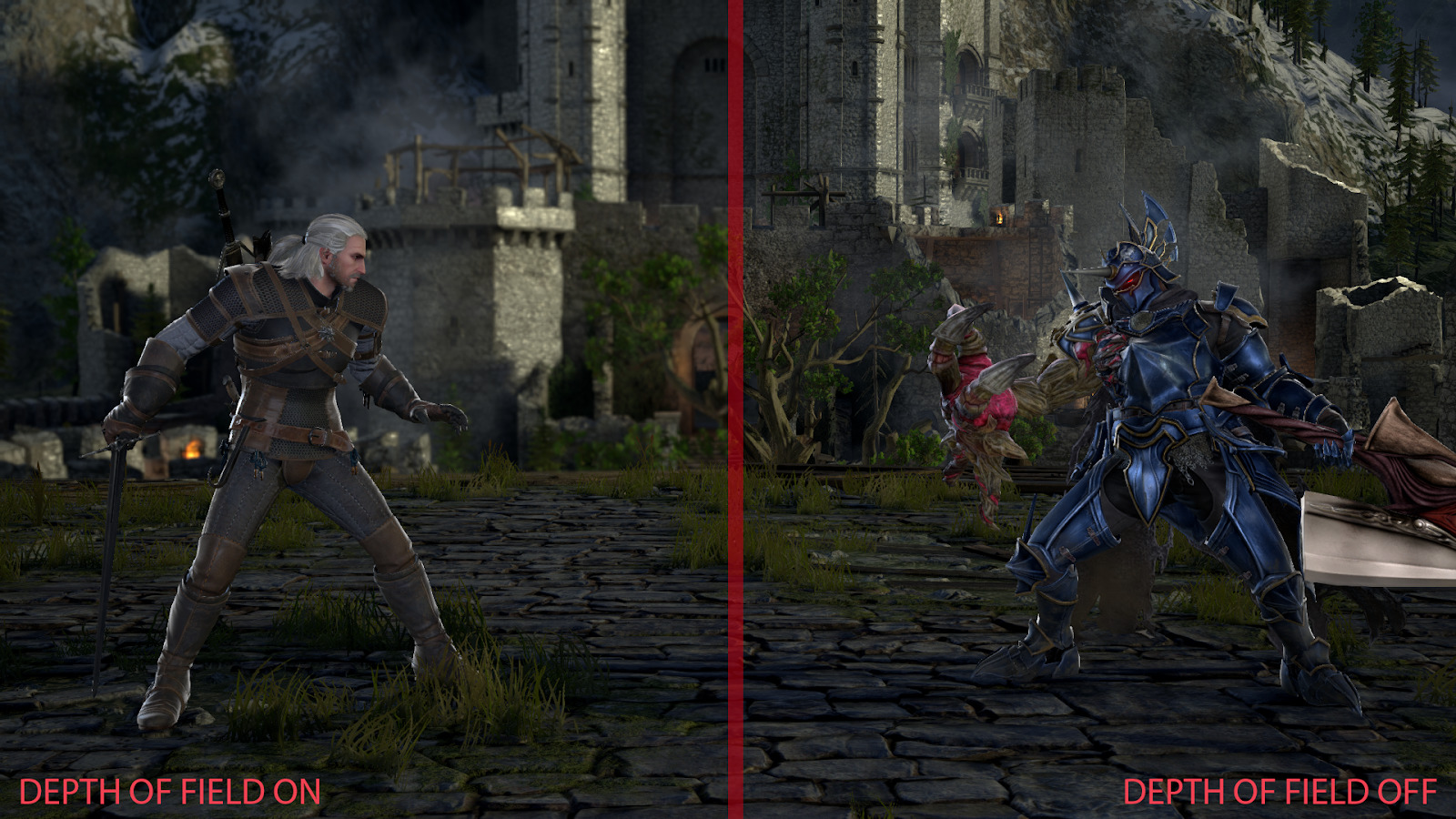
The bokeh effect we often see on cameras has now been applied in games. However, similar to Motion Blur, this feature is not very stable; it sometimes blurs the characters in the game as well. Besides providing a cinematic feel to the game, Depth of Field does not contribute to the graphics, so feel free to turn it off without worrying about affecting the graphics.
Dynamic Reflection
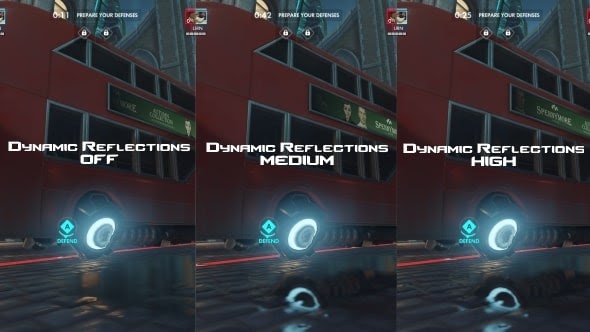
Essentially, this is the ability to reflect in the game, meaning the quality of character reflections in mirrors or on water will look better if set to high. However, such situations in games are not very frequent. Overall, it still affects the graphics, so you can consider whether you need this setting. If turning it on keeps the machine running smoothly, that’s fine; if it drops the FPS, just turn it off, it won’t affect the overall graphics.
In conclusion, if you turn off all these settings, the game’s graphics will not change, or will only change slightly. In return, the FPS will be higher and more stable. I hope this helps you find the best settings to fully enjoy your games!
According to Gearvn