


Have you ever tried searching your name on Google? If so, you might have come across social media accounts, personal websites, or even more private information like email addresses, phone numbers, or even your home address. While it can be uncomfortable to have your personal information exposed, it can be dangerous, depending on who is searching for that information and what they intend to use it for.
Why is your personal information on Google?
In the past, people used telephone directories, a postal publication that anyone could buy, to look up the phone numbers of friends and acquaintances. The difference is that it was not digitized, so you had to put in more effort to search for it. Some information may seem public but is actually highly personal, like home addresses or tax identification numbers. Now, with everything digitized, this information is included in electronic invoices, online tax documents, or other public records. This lowers the barriers, making it accessible to almost anyone.
Additionally, sometimes users themselves have inadvertently shared their personal information through actions like posting job application CVs, scanned ID documents, or sales contracts on various platforms. Due to a lack of attention to privacy settings and sharing, these documents and information sometimes end up in the hands of unwanted parties for various reasons.
What risks can occur?
The risk of information theft (“doxing“) is increasingly common. This is when your and your loved ones’ personal information is collected and posted online with the intent to harass and threaten. A recent example is the attempted assassination of U.S. Supreme Court Justice Brett Kavanaugh that occurred a few months ago. The perpetrator admitted to finding his home address online.
Currently, the main targets of this behavior are celebrities, but that does not mean it won’t happen to ordinary people. Although many have never experienced direct threats, many have had their addresses and images of their residences posted online just to cause panic and fear. This understandably raises concerns about even greater dangers, especially when it involves family members.
What should you do when anyone can look up your information?
Besides increasing security and verification steps for online accounts, users can use Google’s tool to hide search results, called “Remove Information from Google.” This is a new tool developed by Google. Information that can be hidden from search results includes credit card numbers, images of handwritten signatures, images of ID documents, and more.
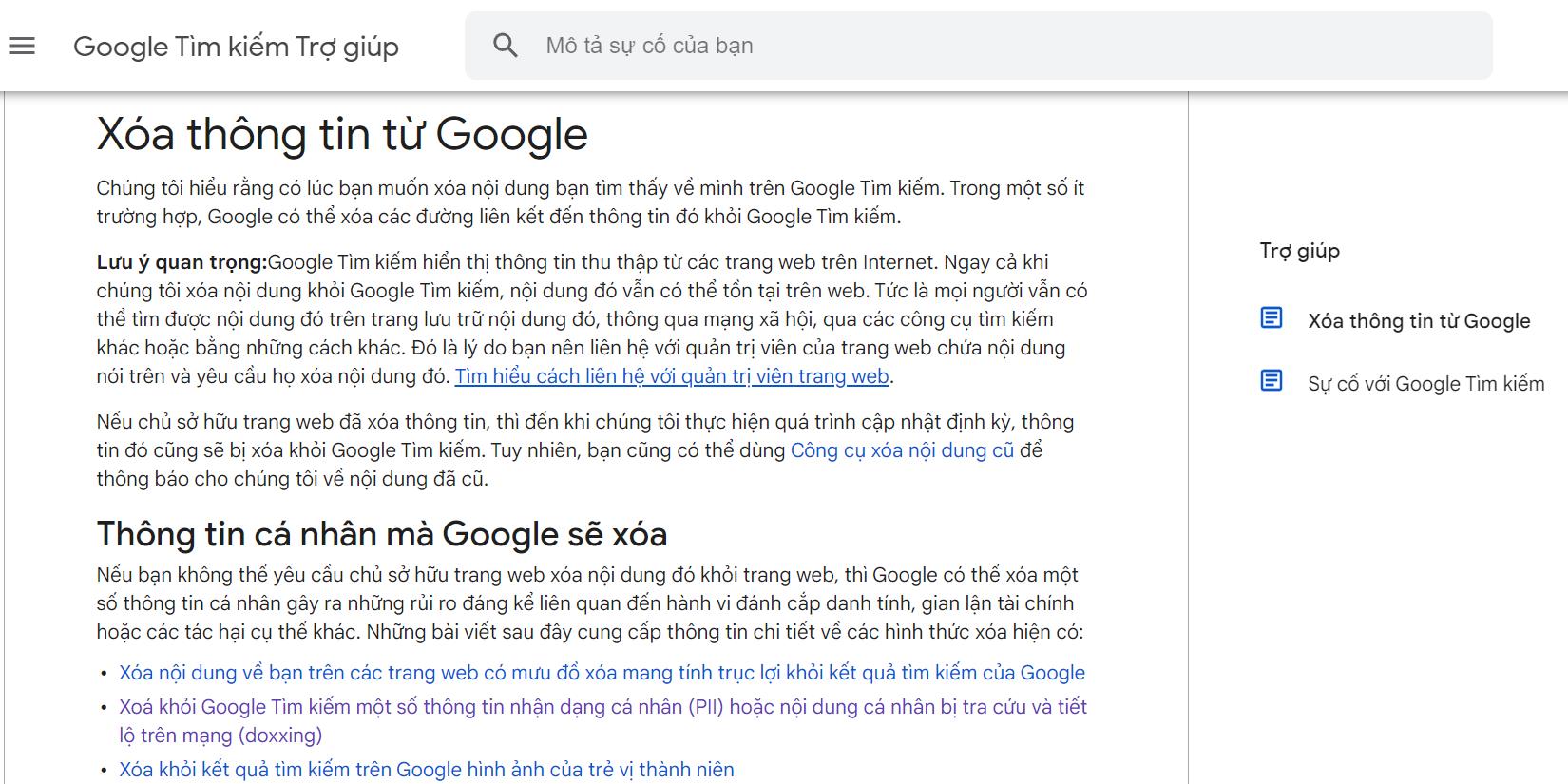
First, you need to visit the Google Search Help page (support.google.com) to select the “Remove Information from Google” option.
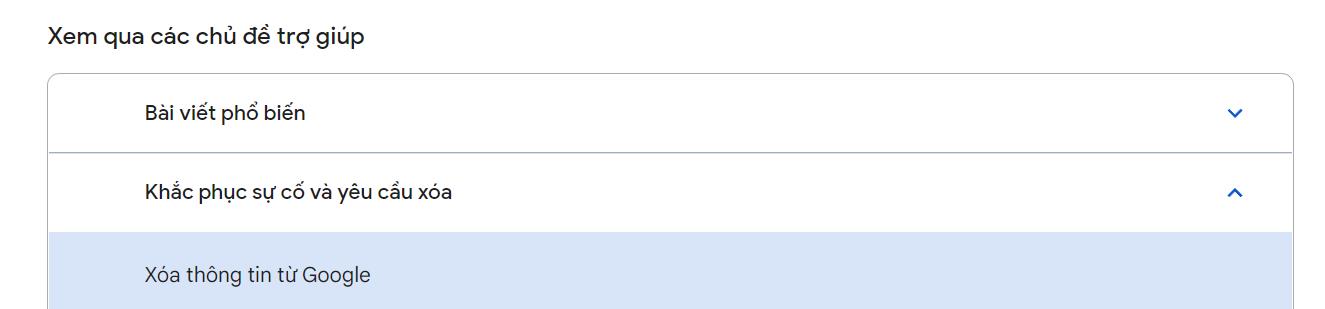
Next, you can choose the type of information you want to remove, for example:

Then click the “Start Request to Remove” button.
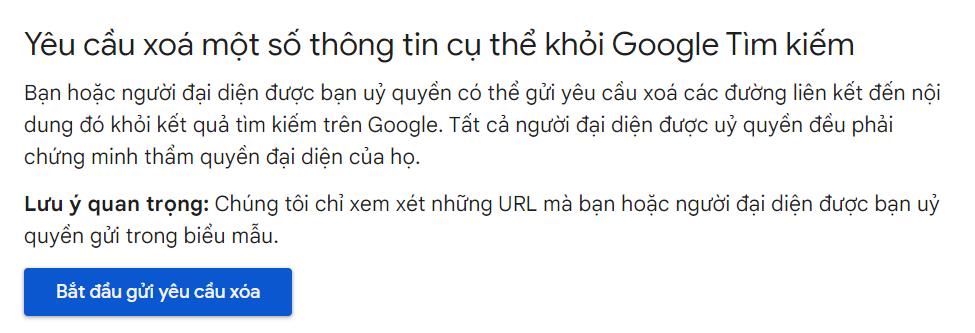
At this point, you can follow the step-by-step instructions to fill out the request form, specifying what information you want to delete, where it is from, and so on.
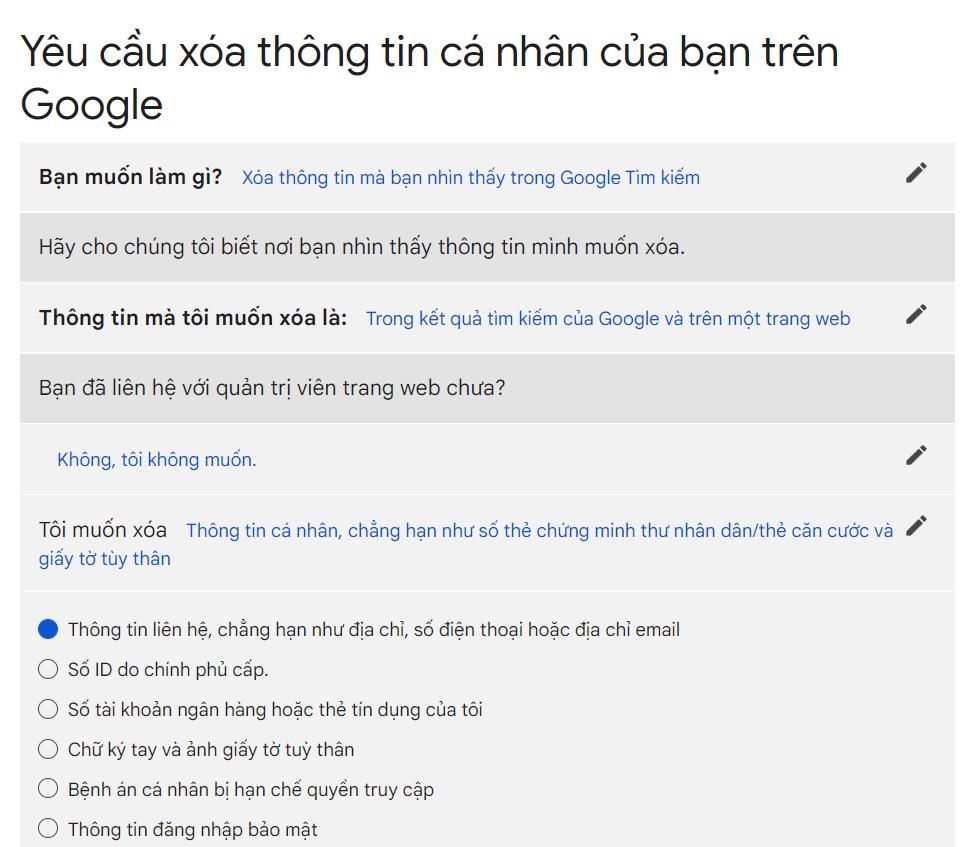
Currently, you are required to provide the link to the website that contains the information you want to hide. However, Google has stated that in a few months, this tool will also allow you to automatically list the websites containing the information you wish to hide, making the process more convenient.
What to do if Google denies your request to hide information?
After receiving your request, Google will review whether the search results come from public websites or not. It is known that they typically refuse to hide search results from official government websites or public news sites.
Remember that this information is not actually deleted from those websites but is only hidden from search results by Google. People can still access it if they know the website address or use other search engines. At that point, you would need to contact the website owner directly. Tools like Who.is can help you find basic information such as the server and contact information to proceed.
The demand to be “hidden” online has increased so much that it has created opportunities for third-party services to arise, such as DeleteMe or NortonLifeLock in the U.S., aimed at helping users who do not have much time to deal with these procedures.
Reference from: Wall Street Journal, Google Help