


If you’re a gamer, you’ve certainly experienced the annoying feeling of lag spikes, stuttering, and sometimes even dying unexpectedly, not due to your own fault. Typically, there are two main reasons for this issue. One is network lag, and the other is frame drops due to weak hardware. If you’re unlucky, you might even face the combo of both. In this article, we will discuss how to identify the problem you’re facing and how to fix it. Hopefully, this will help you gamers enjoy a smoother experience.
Network Lag
If your computer’s specifications are sufficient to meet the requirements of a particular game but the gameplay is still not smooth, it’s likely due to the quality of your Internet connection. This issue only occurs during online play; offline gaming does not rely on the Internet, so connection quality doesn’t matter.
Causes:
During gameplay, your computer continuously exchanges information with the server and other players so that characters in the game can interact with each other. If this connection is interrupted, the information exchange will not be seamless, leading to the phenomenon of “lag.”
Symptoms:
The “symptoms” of lag due to poor connection can vary from game to game, but generally, it will cause a “delay” while you’re playing. For example, in a shooting game, when you click the mouse, it may take a while for the bullet to fire, or it might not fire at all. In a MOBA game, characters may respond inconsistently or, worse, you might find yourself unable to control them, leading to erratic movements.
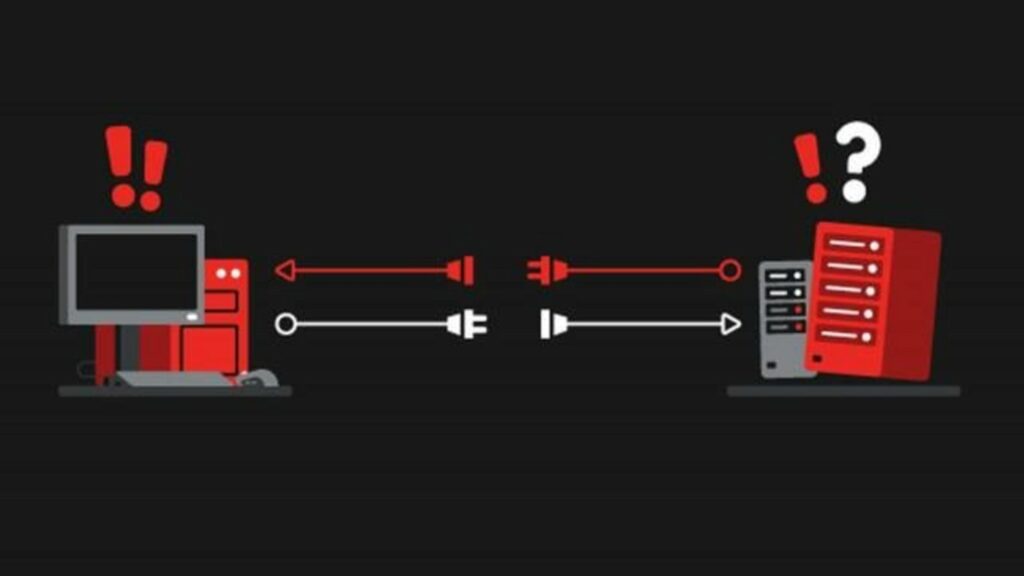
Some games display the ping statistic, usually measured in ms (milliseconds). If this number is low and stable, your network is in good shape. If the ping is high but stable, your connection is still good, but your computer is far from the server. At this point, your in-game actions will have noticeable delays (usually, a ping over 100 is quite noticeable), but the character remains manageable. If the ping fluctuates continuously, there are three possibilities: 1) the server is very weak, 2) your connection is poor, or 3) both your connection and the server you are connected to are unreliable. In this case, lag will occur frequently, making it difficult to control your character and easily leading to frustrating in-game deaths.
Solutions:
Since network lag has nothing to do with your hardware, no matter how high-end your computer is, if you’re using a poor Internet package, you’re still going to experience lag. The most practical solution is to upgrade to a premium Internet package or switch providers entirely. From my experience, switching providers often yields better results than just upgrading the package. You can also change your IP or use ping-reduction software to improve performance if the server is too far away. I might write more about this topic in the near future; stay tuned if you’re interested!
Frame Drops Due to Weak Hardware
This is another reason why the gaming experience might not be smooth. I find this issue to be much more common than network lag. This is also why we have to invest significant amounts of money in high-quality PCs to enjoy smoother gameplay.
Hold on, for those who don’t understand what FPS is, let me explain briefly before you continue reading.
*Brief Explanation:
FPS stands for Frames Per Second. To create movements on the screen, the computer must render individual images and display them. The more powerful the computer, the more frames it can output in one second, resulting in smoother motion.
Causes:
If the frame rate is not fast enough and unstable, the motion in the game will be affected, resulting in choppy performance. This is why game developers always provide us with minimum specifications to estimate whether our machines can run the game at an acceptable level. Some games will allow you to display the FPS counter so you can monitor your machine’s performance.
Individual Perception:
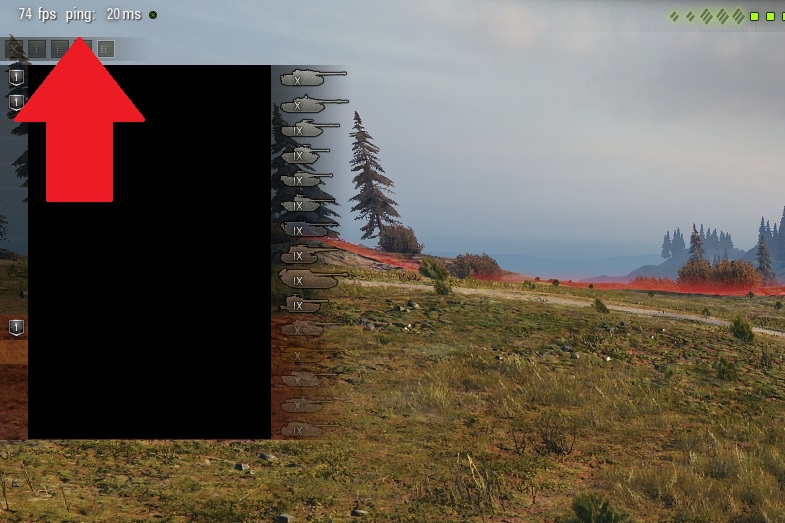
Depending on individual perception, we experience different FPS levels. For instance, for me, when I play AAA games, I don’t need it to be too smooth; just above 60 FPS is acceptable; below 60 FPS is uncomfortable, and if it drops to around 40 FPS, I start considering lowering the settings. For FPS or MOBA games, I prefer a higher FPS, at least 120.
The Difference Between Network Lag and Frame Drops and How to Fix Them:
The phenomenon of frame drops due to weak hardware is different from network lag. When lag is solely due to the network, the in-game motion will still be smooth; it’s just that your actions might be delayed or lost, accompanied by a “timing delay” in the game. Moreover, network lag typically only affects the experience during online play.
On the other hand, frame drops due to weak hardware can occur regardless of whether you’re playing online or offline. As long as you exceed your machine’s limitations, you will experience frame drops. To remedy frame drops due to weak hardware, consider lowering the graphics settings on your computer. The principle is straightforward: when the computer needs to process less information to render a frame, it can produce more frames in a given time. Faster frame output results in smoother motion. Alternatively, you could also upgrade your hardware; a stronger machine will render frames faster, resulting in a more visually appealing gaming experience.
So what if you experience both lag and frame drops?

If while gaming, your FPS is low, your ping is high, and both numbers are unstable, it’s best for you to head to a net café to play. Many years ago, when World of Tanks first came to Vietnam, I played that game on a super old Vaio laptop from 2006. Back then, my FPS was about 12-15, and my ping was always over 150, sometimes reaching 400 or even 600. It was truly terrifying. So, I decided to go to a net café and never touched that laptop again.
Stuttering or FPS Drops Due to Game Design, Drivers, and Other Causes
Sometimes your network is excellent, and your machine is powerful, yet you still experience frequent stuttering in games.
Due to Game Design
Causes:
This usually occurs with indie games when developers have not optimized the game well. Sometimes your machine is powerful, playing a game with seemingly ordinary graphics, but still experiencing FPS drops, which is mostly due to this reason. Unfortunately, you can’t fix this; only the game developers can address it.
Solutions:
If the game is enjoyable and the stuttering isn’t too bothersome, then just enjoy it. If it’s a significant issue for you, your only option is to wait and hope that the developers will improve it in future updates. I have a few indie 3D games from small developers in Japan that often have graphics like mobile games but poorly optimized FPS and frequent drops. If anyone has played them, they would know; if you haven’t, I won’t introduce them for some sensitive reasons.
Due to Drivers and Other Causes
Additionally, you might consider other causes such as outdated drivers that prevent optimal use of hardware resources. For newly released games that experience unreasonable FPS drops, updating the drivers often yields good results. Other issues can cause FPS drops, such as running too many applications and background tasks, malware consuming resources, full disk errors, etc. However, since this article is already lengthy, I won’t delve further into this; you’ll have to research more on your own.
OK, that’s it for this article. I hope it has provided the answers you were looking for. Thank you for reading.
According to Gearvn