


Nowadays, most gamers have a powerful PC, and the common desire is to add a larger screen for an immersive gaming experience. However, looking at the prices of gaming monitors like the ASUS PG65 (priced at 169 million VND), the majority of casual gamers will have to “shake their heads” in disbelief.
The solution here is that you can still own a large screen up to 65 inches and play games in 4K resolution if you choose a 4K Gaming TV, as the prices are now very affordable.
However, what are the differences between a TV and a monitor?
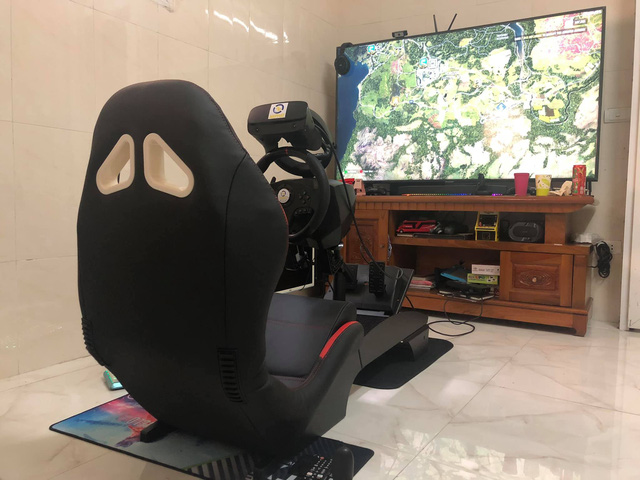
With a PC monitor, you will sit closer, making it easier to work due to the resolution being mostly Full HD – 2K. Recently, some 4K products have started appearing in 27″ – 32″ monitors, but the downside is that at this resolution, the text can be too small, which can lead to eye strain or dryness if you work for extended periods.
However, larger TVs with 2K or 4K resolution are quite popular. Sizes of 55″-75″ do very well in this regard, as the text is clearer when you sit farther away, making it easier for you to work. All you need is a wireless mouse and keyboard for convenience.
Especially, most of these screens come with high-quality panels like VA or IPS, which are clearly great for gaming due to their vibrant colors and high-quality images, but they have limitations in size and cannot provide large screens at affordable prices.
With a Gaming TV today, like the 65RU7100 or 75RU7100 priced under 20 million VND, you can still enjoy gaming well at a distance of 1.5-2m. This is quite a good deal for your family to gather around the TV for entertainment.
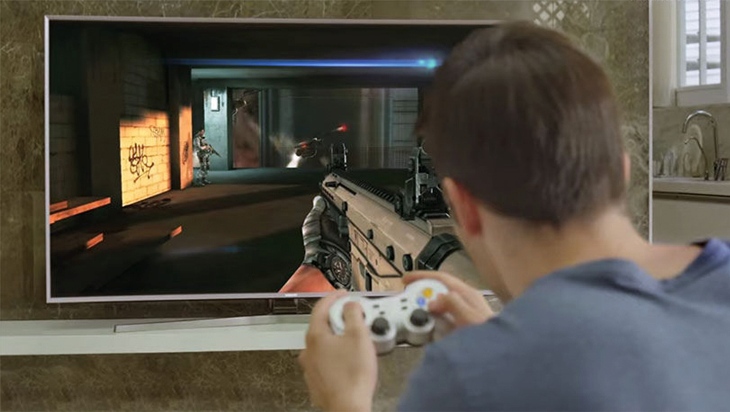
What should you pay attention to when buying a 4K Gaming TV?
The first thing you should consider is Input Lag. Currently, regardless of how high-end a TV is, it will generally have higher Input Lag (~60ms) compared to conventional computer monitors (2-6ms).
However, many modern GAMING TVs have higher refresh rates, making it harder to notice Input Lag. Particularly, you may find that playing PES or high-speed games like racing games, which were popular on the PS4 or Xbox, still runs smoothly and players do not feel the lag, so for gamers, dealing with input lag is definitely not an issue.
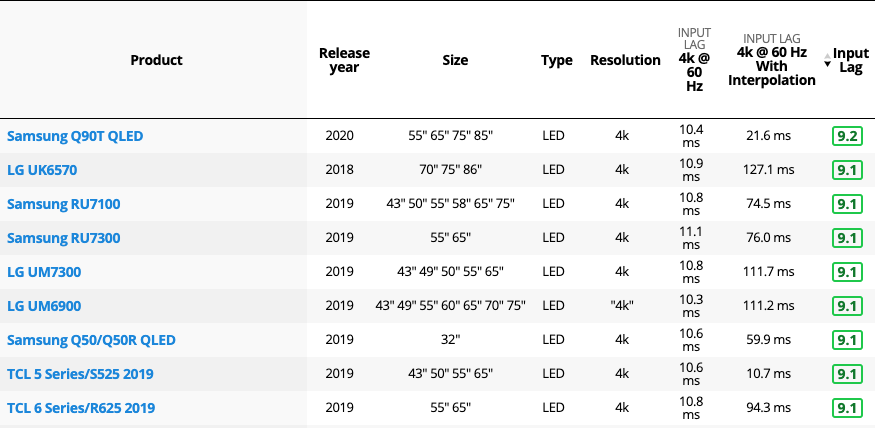
Here is some comparative information about Input Lag and suitable TV product series for gaming for your reference:
What PC configuration is needed to meet the requirements for gaming on a 4K TV?
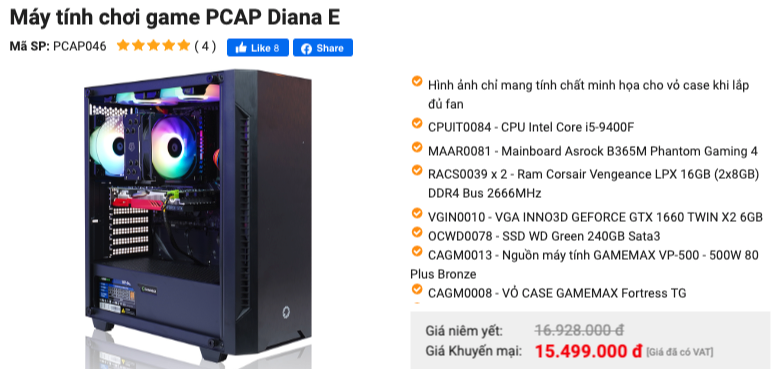
TVs from 55″ and above nowadays generally support 4K high-quality images, so your accompanying PC configuration must also be up to par (but it doesn’t have to be too expensive, around 15 million VND is sufficient).
Specifically, with configurations like the PCAP GAMING (refer to AnPhatPC), using a GTX1650 VGA or higher along with an i3 8100/ AMD Ryzen 3 CPU will allow you to play many current games like PUBG or Warzone smoothly, albeit at low settings.
For configurations like PCAP GAMING WARZONE with RTX2060, you can smoothly run many games at High Settings.
So that’s the setup to “handle” games on a large 65-inch TV. With many games today featuring Split Screen modes or multiplayer options, you can play with your kids or even your whole family, each with their own game controller like the PXN 9613, instead of using a mouse and keyboard for shooting or soccer games.
For racing games, you can use a gaming steering wheel like the PXN V900 to challenge family members in a very exciting scoring competition.
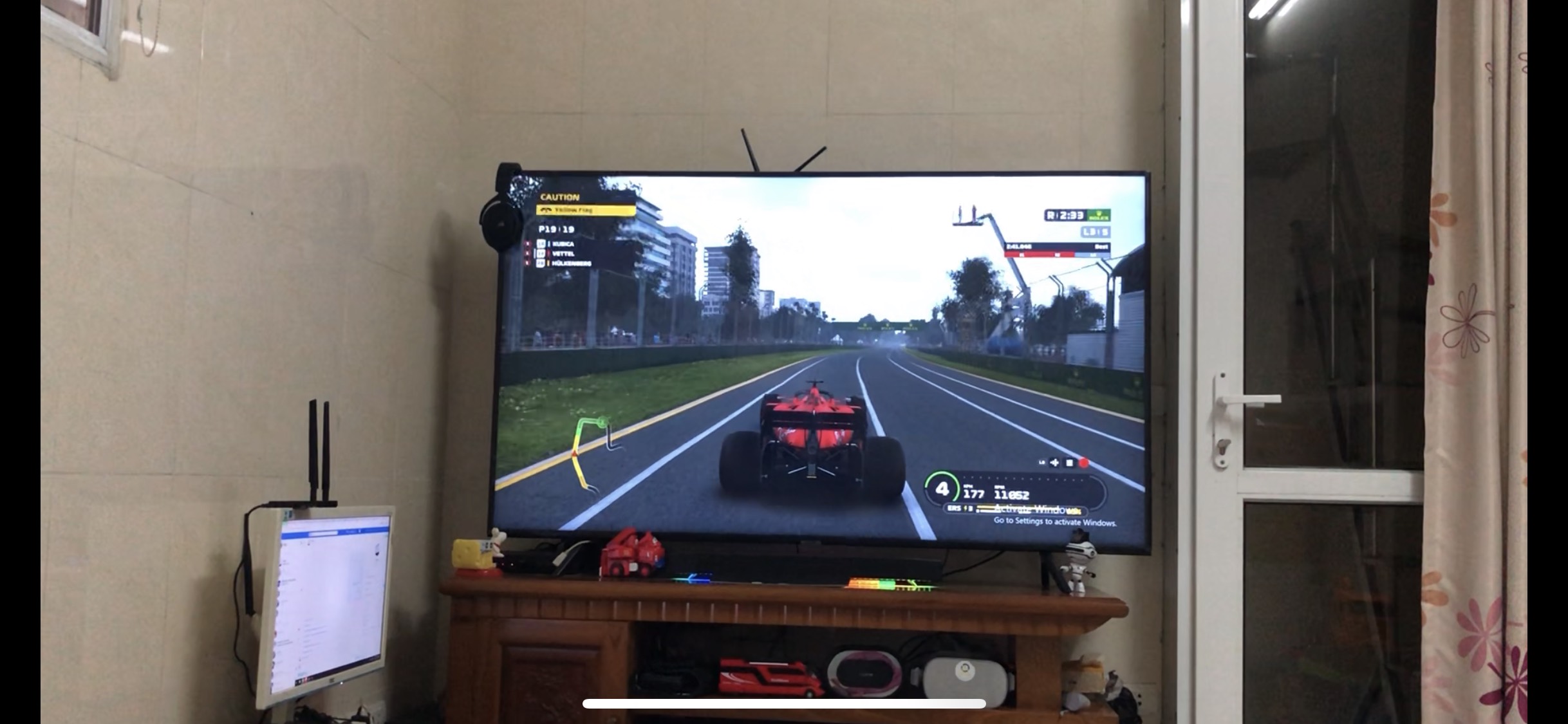
Two models that the author of this article has been and is experiencing are the SAMSUNG 65RU7100 and SAMSUNG 75RU7100, with a PC setup costing around 15 million VND for your reference.
For more details, you can check out HERE