


If you’re interested in this topic, please read the following article. But before we discuss the differences, let’s clarify a few concepts first.
PCIe stands for Peripheral Component Interconnect Express, which is a type of port (interface), a connection standard used to connect the system with card-type devices. Remember those slots for plugging in graphics cards? That’s it. NVMe stands for Non-Volatile Memory Express, which is a type of protocol (the way devices communicate) developed for high-performance SSDs. SSD PCIe NVMe is a type of solid-state drive that uses the NVMe protocol and works directly with the CPU via PCIe connection, similar to how the CPU works with the graphics card. NVMe SSDs usually have speeds that are several times higher than SSDs SATA of the same capacity.
Why is NVMe Faster?
SSD PCIe NVMe is faster than SSD SATA because it connects directly to the CPU via PCIe lanes rather than going through a chipset before reaching the CPU like SSD SATA does. The controller (the control chip) of NVMe SSDs can analyze and manage up to 64,000 data queues compared to only 32 queues for the AHCI controller on SATA SSDs.
Forms of SSD PCIe NVMe
Currently, the most common form of SSD PCIe NVMe is M.2, which plugs into the M.2 slot on the motherboard and connects to the CPU via 4 PCIe lanes. This form is very popular due to its compact size and not occupying a PCIe 16X slot. This type is often confused with M.2 SATA SSDs as there is no significant difference except for the contact pins.
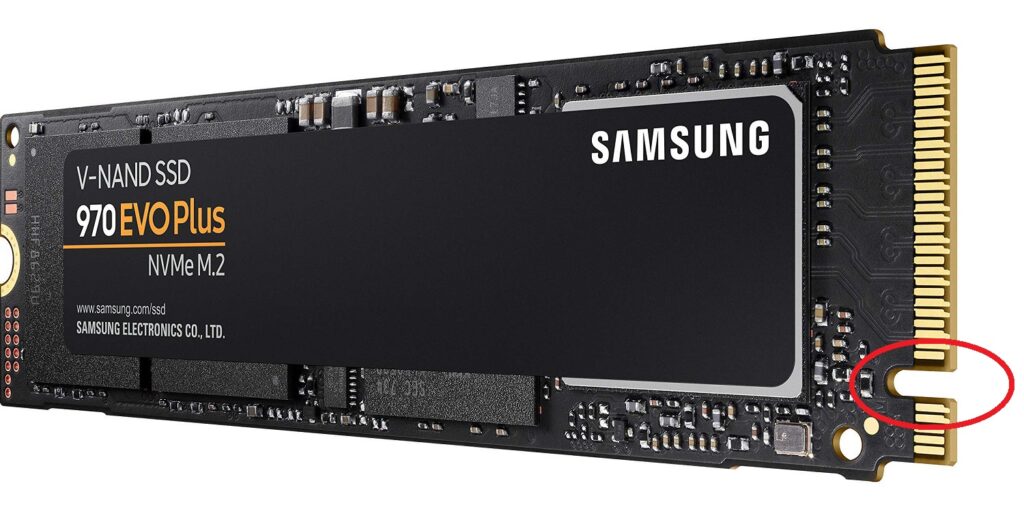

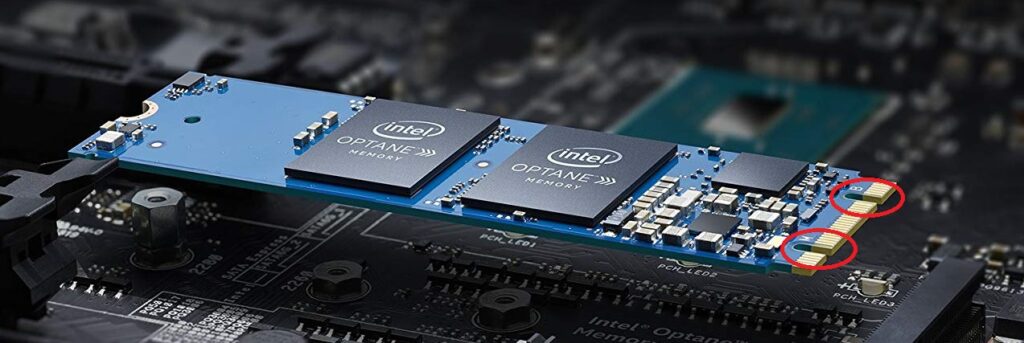
To differentiate easily, you can pay attention to this contact pin part; there are 2 notches for M.2 SATA SSDs. 1 notch means it’s an M.2 PCIe NVMe SSD. Intel Optane is an exception; the contact pins have 2 notches and do not function like a regular hard drive, as it is fundamentally still an SSD PCIe NVMe M.2.
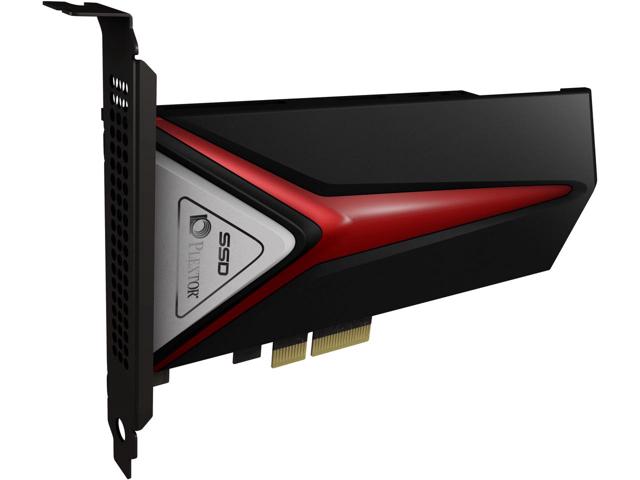
The second type is the PCIe card, which plugs into a PCIe 16X slot. Additionally, multiple M.2 PCIe NVMe SSDs can be plugged into a PCIe card and then inserted into a PCIe slot to run RAID, combining the speeds of these SSDs together.
PCIe 3.0 and PCIe 4.0
Since data transfer relies on PCIe lanes, the speed of SSD PCIe NVMe largely depends on the PCIe standard. Theoretically, SSD PCIe NVMe using PCIe 3.0 can achieve a maximum bandwidth of 4 GB/s, while PCIe 4.0 doubles that figure. In practice, the Samsung 970 Pro SSD supporting PCIe 3.0 has read and write speeds of 3500 MB/s and 2300 MB/s, respectively. The Samsung 980 Pro SSD supporting PCIe 4.0 has read and write speeds of 6500 MB/s and 5000 MB/s, respectively.

Currently, only AMD supports PCIe 4.0, while Intel still uses the 3.0 standard. SSDs supporting PCIe 4.0 are not yet widespread and are still quite expensive.
Above are some basic information about the fundamental differences between NVMe SSDs and SATA SSDs as well as the significance of PCIe standards for NVMe SSDs. Hope this is helpful for you.