


This feature is called Hardware-accelerated GPU scheduling (HAGS), and basically, it gives direct memory management and control to the GPU instead of the CPU. Theoretically, this will lighten the load on the CPU and slightly increase performance.
Of course, whether it actually increases performance, and by how much, depends on the PC components you are using. According to some initial reports, this feature may be more beneficial for mainstream PCs than for high-end, premium setups. Additionally, there are cases where this feature reduces performance when gaming, so you need to keep that in mind.
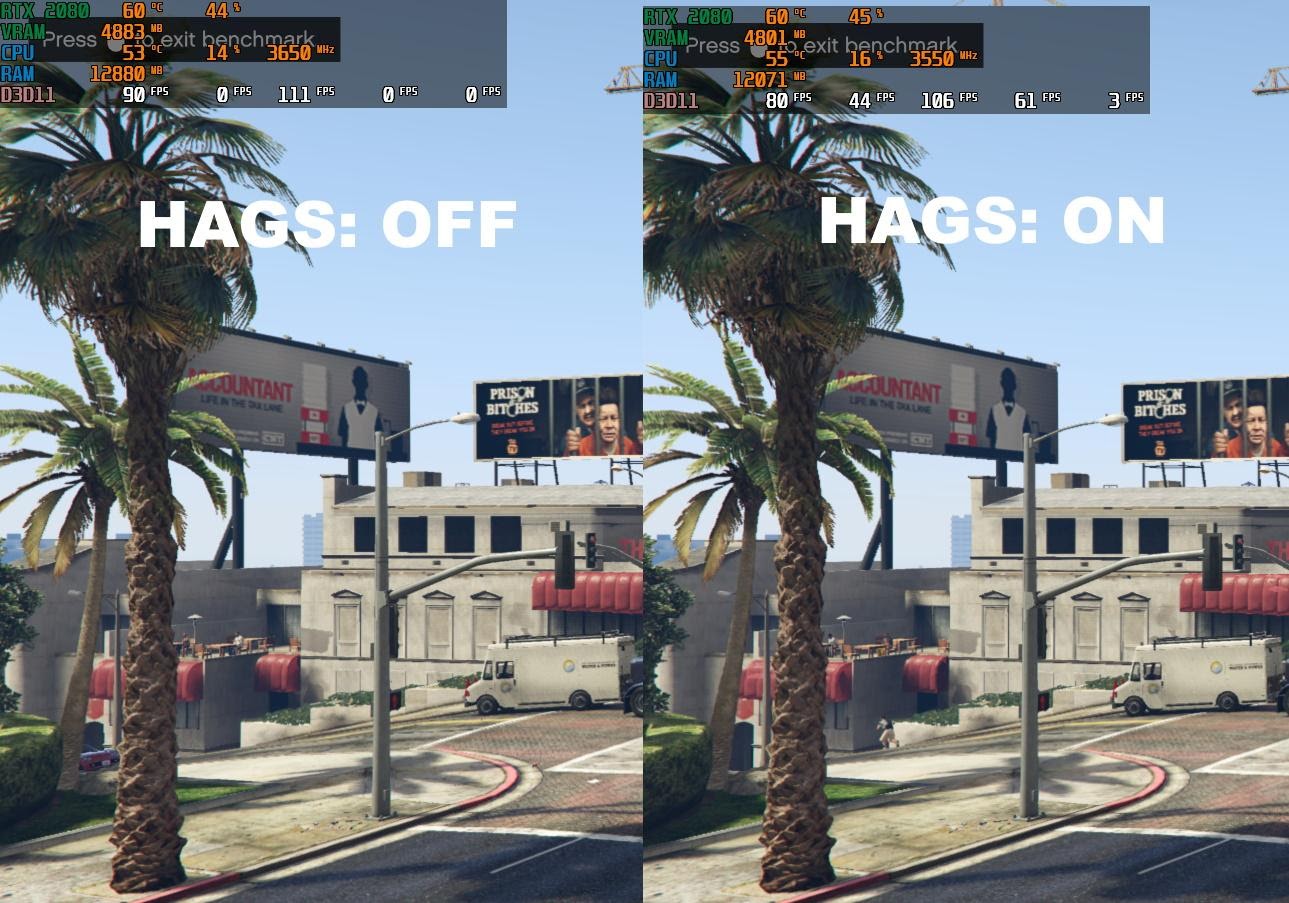
This feature could be very suitable for laptops because the internal memory of these machines is often quite limited. According to several sources, it can improve performance by up to 10%, which means you will get smoother fps or be able to enable additional effects for more eye-catching visuals. Additionally, PC Gamer conducted a preliminary test with the game GTA V using an AMD Ryzen Threadripper 2970WX CPU, NVIDIA GeForce RTX 2080 Super GPU, and 32GB RAM, and found that there wasn’t much difference. Specifically, VRAM and RAM usage was slightly reduced, and fps increased slightly, but overall, it was still… pretty much the same.
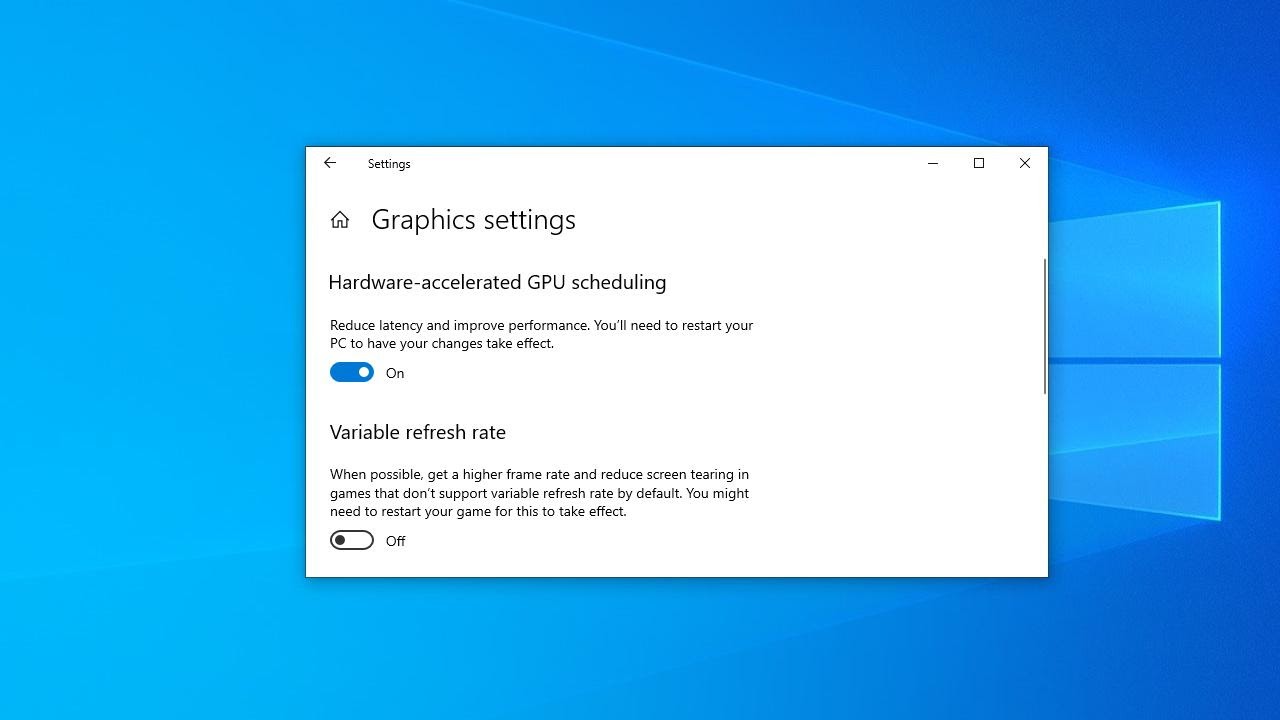
If you want to try this feature, you first need to update Windows 10 to version 2004 (install the May 2020 Update). Then check out here (NVIDIA) and here (AMD) to download and install the corresponding drivers. Note that the current driver from AMD is still in beta, and NVIDIA’s driver is the first to support this feature, so some bugs may occur during use.
Source: PC Gamer