


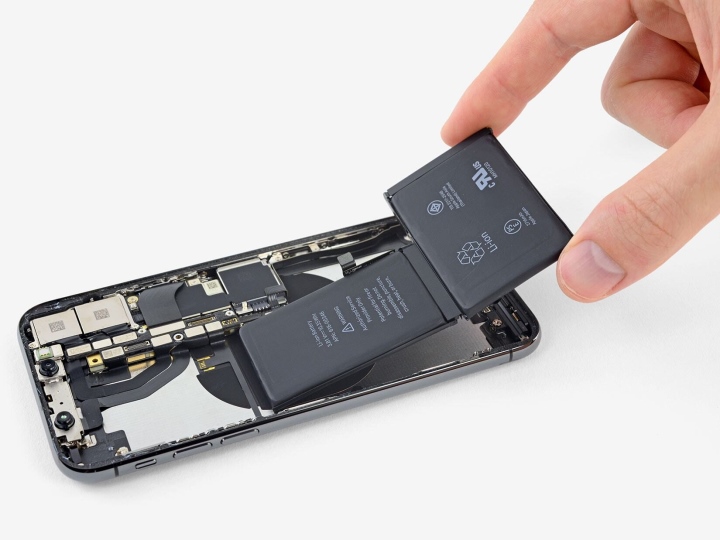
The phone battery is one of the most important components that many users care about in their daily device usage, especially smartphones. So how can you keep the battery in optimal working condition, avoiding impacts on daily tasks and preventing sudden failures?
To understand more, users first need to know about the “charge cycle” concept – a factor that affects battery deterioration. A charge cycle is counted when a user charges the phone battery from 0% to 100% (according to Phone Arena), and the higher the number of cycles, the shorter the battery lifespan. Meanwhile, Apple calculates a charge cycle as when the total amount of energy put into the device reaches 100% of the battery capacity, regardless of how many times it was charged. For example, charging 10% each time means it takes 10 times to reach 100%, equivalent to 1 cycle.
However, regardless of how the charge cycle is calculated, when a certain limit is reached, users will need to replace the phone battery to ensure functionality and safety.
According to SlashGear, the Lithium-ion battery technology (abbreviated as Li-ion) used in modern smartphones can withstand between 400 to 500 charge cycles before entering the deterioration phase. To extend battery life, users can apply various measures to avoid the component reaching the 100% threshold.
In high-end smartphones, most manufacturers equip smart charging features, which automatically stop the flow or limit charging to 80%, extending the time needed to reach 100% to avoid losing one charge cycle. Many models with fast charging also allow a maximum charge of 50% in the first phase, gradually reducing the speed as it approaches 80%, then switching to slow charging beyond this point, eventually reaching 100%.
The device’s temperature during charging is also a factor affecting battery longevity. According to PCMag, the appropriate temperature for phones while charging ranges from 0 degrees Celsius to 35 degrees Celsius. Users should avoid using the device during this time and should also turn off unnecessary tasks. Nowadays, most smartphones have features that alert users if the device temperature gets too high during charging, even automatically stopping the flow if it exceeds permissible limits.
Placing the device on a bed with sheets, on a mattress, blanket, pillow, or other soft fabric items can cause fire or explosion due to these materials covering the phone, reducing its ability to dissipate heat into the surrounding environment. The recommended surface for placing a phone while charging is a hard, ventilated surface. If the phone gets too hot, unplug it and let it cool down instead of placing it in a suddenly low-temperature environment (like the refrigerator). This action can cause damage to components, including the battery.
Experts also recommend that users maintain a reasonable charging and discharging cycle, and reboot the device after prolonged use. Just like humans, machines need time to “refresh themselves” to help everything run smoothly and ensure the stability of components. Users should not frequently let the device be in a low battery state (around 0%), but experiencing this 1-2 times every few months is not a significant issue.
Khánh Linh